Embedding & Sharing
GeoLibre's browser build can be embedded in any web page and configured through URL query parameters. This is how you turn a shared project into a live, focused map for a website, a report, or a dashboard.
The live viewer
The browser build is hosted at https://web.geolibre.app/. It is a static site deployed on GitHub Pages that runs entirely in your browser: there is no server account, and the data you load is processed client-side. The hosted site counts page visits with Google Analytics, which never sees the data you load (see the Privacy Policy); a copy you host yourself has no analytics at all. Data leaves your browser only when you add a remote URL or explicitly share a project.
Open a public project by passing its .geolibre.json URL with the url parameter:
https://web.geolibre.app/?url=https://share.geolibre.app/giswqs/3d-tiles.geolibre.json
A project URL like this comes from Project → Share. See Projects.
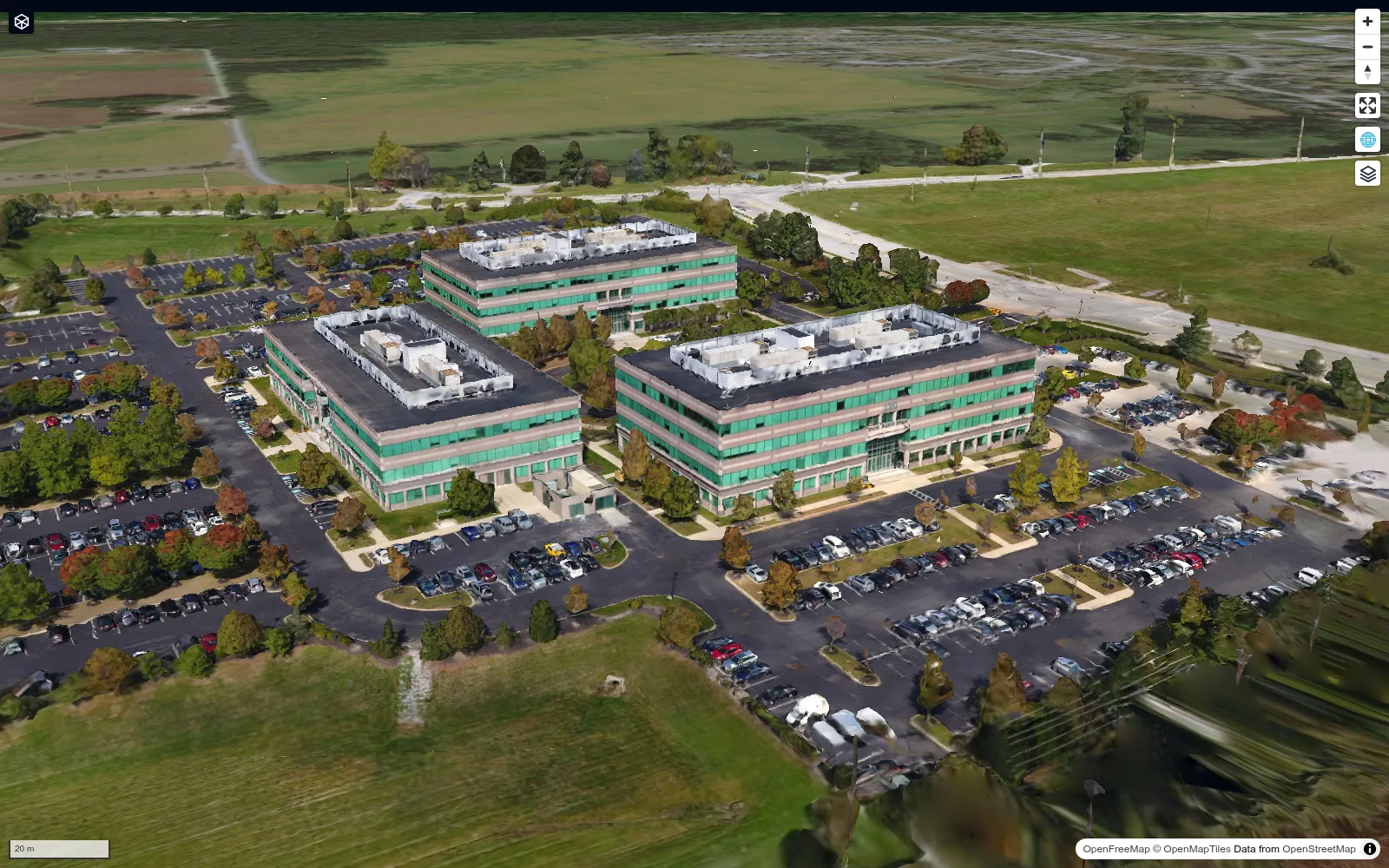
A chrome-free maponly embed shows only the map, as in this shared 3D Tiles project:
URL parameters
| Parameter | Example | Description |
|---|---|---|
url |
url=https://share.geolibre.app/you/project.geolibre.json |
Loads a .geolibre.json project from a public URL. |
loading |
loading=true |
Exposes screenshot readiness on the document element. Accepts a bare flag, true, 1, yes, or on; disabled by default. See below. |
data |
data=https://assets.geolibre.app/data/places.geojson |
Loads public GeoJSON, GeoParquet, PMTiles, a COG, or a ZIP/REST response containing multiple GeoJSON files. |
style |
style=https://assets.geolibre.app/data/sample.style.json |
Applies a GeoLibre/MapLibre vector style or raster-style JSON to the data loaded by data. |
dataType |
dataType=lidar |
Marks a data URL whose path has no file extension as a LiDAR point cloud; pairs with data by position. See Open remote data. |
stac |
stac=https://earth-search.aws.element84.com/v1/collections/naip |
Opens the STAC Catalogs browser connected to a STAC catalog, API, or API collection. A collection URL is searched on load, so its item footprints appear as a layer. See Open a STAC catalog. |
layout |
layout=viewer |
viewer provides read-only chrome: Layers, View, Controls, basemaps, search/identify, Help, and any quick filters the project's layers carry, with authoring UI hidden. compact is the icon-only full-app layout; embed and iframe are aliases. |
draw |
layout=viewer&draw |
Lets the geometry editor run in layout=viewer, so a host page can offer drawing without the rest of the authoring chrome. The bare flag or true, 1, yes, on enable it. It has no effect in other layouts and needs the project:edit deployment capability. See Drawing in a viewer embed. |
toolbar |
toolbar=none |
Hides the top toolbar while keeping panels and the status bar. Use icons for icon-only buttons; icon and icon-only are aliases. hidden, hide, and off are aliases for none. |
panels |
panels=collapsed |
Starts Layers and Style collapsed to their icon rails. Use none to hide all panels; hidden, hide, and off are aliases. |
hidePanels |
hidePanels=true |
Alternative way to hide those panels. |
maponly |
maponly |
Hides all chrome (toolbar, panels, and status bar), leaving only the map. The bare flag or true, 1, yes, on enable it. |
welcome |
welcome=0 |
Hides the first-launch welcome wizard. Accepts 0, false, off, or no. A url= or data= deep link already suppresses it automatically. |
theme |
theme=dark |
Sets the initial color theme, overriding the OS preference. Accepts dark or light; the in-app toggle still works afterward. |
settingsUrl |
settingsUrl=https://example.com/desktop-settings.json |
Loads shared presentation settings before the first render. Supports language, layout, accent theme, and uiProfile. The override lasts for this page only and does not replace locally saved settings. A file exported from Settings → Interface → Export... works as-is. settingUrl is accepted as an alias. |
tool |
tool=adaptive_filter |
Opens the Processing (Whitebox toolbox) dialog on a specific tool by its id. Unknown ids open the dialog without preselecting a tool. |
plugin |
plugin=swipe |
Activates one or more built-in plugins, as if picked from the Plugins menu. See Activate a plugin. |
Private projects and data
url= and data= are fetched by the browser with same-origin credentials,
so a project or dataset gated by a session cookie loads only when GeoLibre is
served from that same origin. Passing a login-protected URL to the hosted
viewer at web.geolibre.app fails, because the cookie is not sent
cross-origin. Serve the app from your own host, or use a signed, expiring
URL. See Self-Hosting & Private Data.
Parameters combine. For a narrow, chrome-free, dark embed of a shared project:
https://web.geolibre.app/?url=https://share.geolibre.app/you/project.geolibre.json&maponly&theme=dark
The settings document must be public or same-origin, return valid JSON, and
allow cross-origin browser requests when hosted elsewhere. Its supported fields
use the same shape as their counterparts in the geolibre.desktopSettings
local-storage value. Credential-bearing fields, plugin sources, local startup
paths, and update settings are ignored. Missing or invalid fields are replaced
with GeoLibre defaults. If the document fails to load within ten seconds,
GeoLibre starts with the visitor's local settings. The locale and lang URL
parameters take precedence over a shared language. Other embed parameters,
including theme, layout, and maponly, independently control the initial
light/dark mode and chrome rather than the desktop accent and panel preferences.
Encode the settings URL with encodeURIComponent when it contains &, +,
%, or #, just as for a nested data URL.
Deep-linking a Processing tool
tool=<id> opens the Processing (Whitebox toolbox) dialog preselected to a tool.
Any additional query parameters pre-fill that tool's form, using the tool's
own parameter names, so a link can arrive ready to run:
https://web.geolibre.app/?tool=extract_cog_subset&url=https%3A%2F%2Fdata.source.coop%2Fgiswqs%2Fopengeos%2Fdem.tif&bbox_crs=4326
When tool= is present the app is in tool mode: url names a tool input
(here, the COG to subset) rather than a project to load, so the project loader
stands down. App/embed parameters above (theme, layout, panels, maponly,
locale, …) keep their own meaning and are never passed to the tool.
Preselection and parameter prefilling apply only to an id that matches the
Processing menu: an id not in the menu still opens the dialog, but without
preselecting a tool or applying any parameters. A known id the current engine
doesn't expose (WASM in the browser, the Python sidecar on desktop) likewise
isn't preselected. Tool ids match the Processing menu — the same ids used across
the Whitebox toolbox.
Deep-linking a plugin
Use plugin to open the app with a built-in plugin already active, as if you
had picked it from the Plugins menu:
https://web.geolibre.app/?plugin=swipe
Name a plugin by its id (maplibre-gl-time-slider) or by its short name, the id
without a maplibre-gl-, maplibre-, or geolibre- prefix (time-slider).
Short names are case-insensitive. The
Plugins page lists every link name. List
several plugins with commas, or repeat the parameter:
https://web.geolibre.app/?plugin=graticule,h3-grid
It combines with url: the plugin opens once the shared project has loaded, on
top of the plugins the project itself turns on.
https://web.geolibre.app/?url=https://share.geolibre.app/giswqs/3d-tiles.geolibre.json&plugin=swipe
A plugin from the official plugin registry works too, by its registry id
(?plugin=openrndt-geolibre). An uninstalled compatible entry prompts for
Trust and load; confirming trust does not bypass deployment plugin policy.
A denied plugin will not load or activate. In read-only
layout=viewer an installed registry plugin still opens, but the prompt is
skipped and uninstalled ones are never installed. This is
distinct from project manifest URL trust, whose prompt is suppressed when
sideload: false. See Plugin policy.
Unknown names are ignored. A plugin that does not support the current renderer
does not activate. Directions and reverse geocoding send what you click to a
public server, so they only open from the menu, after their one-time notice. The
drawing and editing plugins stay off in layout=viewer, except the
geometry editor when the link adds draw.
Waiting for a screenshot
Add &loading=true to a project link to enable a machine-readable readiness
signal without adding a visible overlay to the screenshot:
https://web.geolibre.app/?url=https://share.geolibre.app/giswqs/national-land-cover-database-nlcd.geolibre.json&maponly&loading=true
The <html> element exposes three attributes:
| Attribute | Value |
|---|---|
data-geolibre-load-state |
loading, ready, or error |
data-geolibre-load-pending |
JSON array of pending layer names (or initialization work) |
data-geolibre-load-errors |
JSON array of failure messages |
ready means the project/data URL has loaded, visible layers have attached,
their current-viewport tiles have loaded, the camera has stopped, and browser
fonts have loaded. These checks must remain satisfied for 500 ms across animation
frames. Changing the view or layers returns the signal to loading. Hidden
layers (including hidden groups), fully transparent layers, and layers outside
their zoom range do not block readiness. This does not download an entire
dataset or tiles outside the viewport.
The check supports native MapLibre layers, the raster control's COG layers, and
deck.gl visualization layers, including their shared deck.gl renderer. Custom
renderers without a readiness probe, such as Cesium, LiDAR, Zarr, splats, and
video, report an explicit error instead of assuming they are ready. A map or
tile failure the map recovers from does not block ready; one it never
recovers from is reported alongside the timeout, as is any loading that does
not settle within 120 seconds. Check the
errors before capturing; neither the embed API's ready event nor a browser's
networkidle state establishes this rendering readiness.
For example, with Playwright:
await page.setViewportSize({ width: 1600, height: 1000 });
await page.goto(projectLink + "&maponly&loading=true");
await page.waitForFunction(
  () => ["ready", "error"].includes(document.documentElement.dataset.geolibreLoadState),
  undefined,
  { timeout: 150_000 },
);
const result = await page.evaluate(() => ({
  state: document.documentElement.dataset.geolibreLoadState,
  errors: JSON.parse(document.documentElement.dataset.geolibreLoadErrors || "[]"),
}));
if (result.state !== "ready") throw new Error(result.errors.join("; "));
await page.screenshot({ path: "map.png" });
Embedding in a page
Drop the viewer into an <iframe>:
<iframe
src="https://web.geolibre.app/?url=https://share.geolibre.app/you/project.geolibre.json&maponly"
title="GeoLibre map"
width="100%"
height="600"
style="border: 0;"
loading="lazy"
allow="fullscreen; geolocation"
></iframe>
Use toolbar=none to hide the top toolbar while retaining the configured side
panels and status bar. Use layout=viewer for a read-only map with layer toggles, search/identify, and
basemap switching. Its layer list mirrors the authoring Layers panel, folders
and all, so group names carry over, and a layer that carries
quick filters shows them below its row so the map
can be questioned as well as read. The Controls menu is part of the viewer
chrome, minus the two entries that write to the project (Field Collection and
GPS Tracking); Record Tour and Record Video only read the map, so they stay.
Read-only covers the keyboard too: the
project shortcuts (Ctrl/Cmd+N, +O, +S) and the command palette (Ctrl/Cmd+K) go
with the menus they belong to, while the View shortcuts ([, ], n, u,
r) keep working since the View menu stays. Dropping a file onto the map
imports nothing, and the plugins that write to the project — the geometry
editor, Annotations, and GeoAgent — cannot be active, even if the
loaded project saved them that way.
So an embed cannot be steered into authoring by a key press, a drag, or a
project file. Display plugins (layer control, basemaps, time slider, legend and
colorbar components) keep working, so the project still looks as it was saved. Use layout=compact for the complete authoring
toolbar in a smaller space, or maponly for a pure map.
Drawing in a viewer embed
By default the geometry editor cannot run in layout=viewer. Add draw and the
viewer lets it through, while everything else stays read-only: no menus, no
Style panel, no drag-and-drop import, and Annotations and GeoAgent remain
blocked. Combine it with plugin=geo-editor to open the drawing toolbar on
load:
https://geolibre.example.org/?url=https://share.geolibre.app/you/project.geolibre.json&layout=viewer&draw&plugin=geo-editor
What the user draws lands in a Sketches layer. A host page reads it back with
getDrawnFeatures() and is told about changes by the featuresChanged event
(see Reading features back), so the host decides what
to do with the geometry.
Drawing itself needs only the project:edit capability, but reading the
drawings back goes through the embed API, so it needs two more things. Your
page's origin must be on the deployment's embed allowlist (see
Talking to the map at runtime), and the
deployment must grant the export:data
capability, which getDrawnFeatures() and
featuresChanged require. The public web.geolibre.app has no allowlist, so
the example above uses a placeholder for a deployment you host yourself; on
the public site the toolbar draws, but a host page cannot read the result.
A project saved with the geometry editor active opens its toolbar on load, with
or without plugin=geo-editor, as it does in the full app. The toolbar's
Open and Save file buttons are hidden in the viewer, and Identify offers no Edit
geometry or Edit attributes action, so the toolbar only draws and edits what
was drawn in the session.
draw grants nothing that the same deployment would not give without
layout=viewer: a deployment that withholds the project:edit
capability ignores it, and the viewer then
stays fully read-only.
Open remote data
Use data to open public GeoJSON, GeoParquet, PMTiles, Cloud-Optimized GeoTIFF (COG), a LiDAR point cloud (LAS, LAZ, COPC, or an EPT ept.json), or a ZIP archive containing one or more .geojson/.json FeatureCollections. Each GeoJSON file in a ZIP becomes a separate layer. An optional style URL applies Mapbox/MapLibre style JSON to vector data:
https://web.geolibre.app/?data=https://assets.geolibre.app/data/places.geojson&style=https://assets.geolibre.app/data/sample.style.json
Repeat data to load multiple independent datasets on the same map. Repeat
style in the same order to style each dataset; use an empty style= as a
placeholder when an earlier dataset should use its default style:
https://web.geolibre.app/?data=https://example.com/roads.geojson&data=https://example.com/dem.tif&style=&style=https://example.com/dem.style.json
GeoLibre loads every entry and fits the map once to their combined stored
extents. A style applies only to the data value at the same position.
data may also point to a REST API endpoint that returns either a GeoJSON FeatureCollection or a ZIP containing multiple GeoJSON files. ZIP API responses are recognized from their Content-Type/Content-Disposition headers or their ZIP file signature, so the endpoint does not need a .zip suffix. An endpoint that takes its own query parameters is the case that does need percent-encoding, so its & separators are not read as GeoLibre's own:
https://web.geolibre.app/?data=https%3A%2F%2Fapi.example.com%2Ffeatures%3Fcategory%3Dparks%26limit%3D100
The example API URL is illustrative. Use the hosted places.geojson example above for a directly runnable test.
A hosted ZIP with per-file styles can be tested directly:
https://web.geolibre.app/?data=https://assets.geolibre.app/data/multiple-layers.zip&style=https://assets.geolibre.app/data/multiple-layers.style.json
GeoParquet is loaded through GeoLibre's DuckDB-backed vector reader. PMTiles is streamed with HTTP range requests and may contain either vector or raster tiles. These real vector examples also apply the hosted sample style:
https://web.geolibre.app/?data=https://data.source.coop/giswqs/opengeos/building_count_h3.parquet&style=https://assets.geolibre.app/data/sample.style.json
https://web.geolibre.app/?data=https://data.source.coop/giswqs/opengeos/building_count_h3.pmtiles&style=https://assets.geolibre.app/data/sample.style.json
For a vector PMTiles archive, the style is applied to the layer after the archive's source layers are discovered. A raster PMTiles archive can be loaded with data, but it does not accept a MapLibre vector style through style.
A public DEM COG can be tested directly:
https://web.geolibre.app/?data=https://data.source.coop/giswqs/opengeos/dem.tif
A LiDAR point cloud opens in the LiDAR layer control. A COPC file (.copc.laz) or an EPT dataset (ept.json) streams the points in view on demand; a plain LAS or LAZ file is downloaded whole, and is refused if its server reports it larger than 250 MB (convert a larger file to COPC to stream it). A point cloud does not take a style:
https://web.geolibre.app/?data=https://s3.amazonaws.com/hobu-lidar/autzen-classified.copc.laz
GeoLibre recognizes a point cloud from its URL path. An API endpoint whose path has no .las/.laz suffix, such as https://api.example.com/download/42?token=…, needs dataType=lidar to say what it returns. Like style, dataType pairs with data by position, so repeat it (leaving earlier values empty) in a batch. A hinted endpoint is downloaded whole, since COPC streaming is chosen only for a .copc. URL. An access token passed in the query string is kept on every request, including the byte-range reads of a streamed COPC file; encode the whole data value when the endpoint has more than one query parameter:
https://web.geolibre.app/?data=https%3A%2F%2Fapi.example.com%2Fdownload%2F42%3Ftoken%3Dabc%26expires%3D3600&dataType=lidar
A plain https://… URL can be passed as-is, as above: : and / are legal in a query value and need no escaping. Encode the nested data and style URLs with encodeURIComponent only when they contain a character that would be read as GeoLibre's own query syntax — &, +, %, or #. A bare = inside the value is fine, since only the first = in each &-delimited pair separates the name from the value. Remote servers must permit browser cross-origin requests (CORS). COG, GeoParquet, PMTiles, and COPC servers should also support HTTP byte-range requests.
For a COG, style may point to a raster style JSON object. Supported fields are mode (single, rgb, or index), 1-based bands, rescale ranges, colormap, reversed, nodata, opacity, gamma, stretch (linear, log, or sqrt), and the normalized-difference index preset. For example:
{
  "mode": "single",
  "bands": [1],
  "rescale": [[0, 1000]],
  "colormap": "viridis",
  "reversed": false,
  "nodata": "auto",
  "opacity": 0.85,
  "gamma": 1,
  "stretch": "linear"
}
After hosting that JSON as dem.style.json, pass both URLs:
https://web.geolibre.app/?data=https://data.source.coop/giswqs/opengeos/dem.tif&style=https://assets.geolibre.app/data/dem.style.json
For a ZIP containing files of the same geometry type, assign different styles by setting each Mapbox style layer's source to the corresponding filename stem. For example, source: "parks" targets parks.geojson, while source: "counties" targets counties.geojson. Style layers without a source are shared by every imported file. GeoLibre validates all filename/style matches before adding any ZIP layers.
You do not need to author that JSON by hand. Open the vector layer's Layer actions → Styles → Export GeoLibre URL style menu. The downloaded .geolibre.style.json contains only symbology—not feature data—and its render-layer source is already set to the original GeoJSON filename stem. Built-in fill patterns, their colors, and custom SVG fill patterns are preserved using GeoLibre layer metadata (see style interchange); externally hosted SVGs remain external dependencies. Host the file on a CORS-enabled server and pass its URL as style alongside the corresponding data URL. For a multi-file ZIP, export each layer's GeoLibre URL style and combine their layers and sources into one style document; layers without source can be used for rules shared by every ZIP member.
The same file can be applied interactively to an existing vector layer through Layer actions → Styles → Import style from file (GeoLibre URL / Mapbox GL / SLD / QML)…. Interactive import ignores the file's query-param source binding and applies its supported symbology to the layer you selected, so the data filename does not need to match.
Open a STAC catalog
Use stac to open the STAC Catalogs browser already connected to a catalog. It accepts a static catalog, the root of a STAC API, or one collection of a STAC API:
https://web.geolibre.app/?stac=https://earth-search.aws.element84.com/v1/collections/naip
A collection URL (…/collections/{id}) connects to the API it belongs to, found through the collection's root link, selects that collection, and runs a search on it. The map fits the collection's extent and the matching item footprints are added as a STAC search footprints layer. From the result list you can then add an item's assets (COG, GeoJSON, GeoParquet, PMTiles, or Zarr) as layers. A catalog or API root only connects, leaving the search to you.
Percent-encode the value with encodeURIComponent when the STAC URL carries its own query string. The server must allow cross-origin browser requests (CORS). The browser is a side panel, so stac has no effect in layout=viewer (which cannot add layers), and its panel is hidden by maponly or panels=none.
An "Open in GeoLibre" badge
If you publish a dataset — in a repository README, a data catalog, a paper's supplementary material — an Open in GeoLibre badge turns it into a one-click interactive map. Copy one of these and swap in your own URL:

[](https://web.geolibre.app/?data=https://assets.geolibre.app/data/places.geojson)
The same badge can open a shared project instead of a single file, using url:
[](https://web.geolibre.app/?url=https://share.geolibre.app/you/project.geolibre.json)
In reStructuredText:
.. image:: https://img.shields.io/badge/Open%20in-GeoLibre-green.svg
   :target: https://web.geolibre.app/?data=https://assets.geolibre.app/data/places.geojson
   :alt: Open in GeoLibre
In HTML:
<a href="https://web.geolibre.app/?data=https://assets.geolibre.app/data/places.geojson">
  <img src="https://img.shields.io/badge/Open%20in-GeoLibre-green.svg" alt="Open in GeoLibre" />
</a>
Add any of the URL parameters to the link to control how the
map opens — &style= for symbology, &theme=dark, or &maponly for a
chrome-free view.
One caveat specific to badges: a badge lives in a README.md that GitHub, PyPI,
and docs sites all render, and each of those rewrites relative links
differently, so keep the target URL absolute. The encoding rule above
applies unchanged — a data URL carrying its own query string still needs
encodeURIComponent, because the & is read as GeoLibre's own separator well
before the browser ever sees it.
Talking to the map at runtime
URL parameters configure the app once, at load. To keep talking to a live
embed (fly to the record the user just clicked in your app, highlight it, open a
processing tool) and to hear what the user does inside the map, use the embed
postMessage API. The dependency-free @geolibre/embed package provides the
recommended typed client and handles origin checks and request correlation:
import { connect } from "@geolibre/embed";

const map = await connect(document.querySelector("iframe"), {
  origin: "https://web.geolibre.app",
});
await map.setView({ center: [-95.7, 37.1], zoom: 5 });
await map.setLayerVisibility("roads", false);
const added = await map.addData("https://assets.geolibre.app/data/places.geojson");
const layers = await map.listLayers();
map.on("selectionChanged", ({ featureIds }) => console.log(featureIds));
// Read back what the user drew or edited:
map.on("featuresChanged", async ({ layerId, removed }) => {
  if (removed) {
    removeFromBackend(layerId); // the layer is gone; getLayerFeatures would reject
    return;
  }
  const features = await map.getLayerFeatures(layerId);
  saveToBackend(layerId, features);
});
Enabling it
The API is off by default. The primary configuration is
sharing.embedOrigins in deployment.json. For
example:
{
  "version": 1,
  "sharing": {
    "embedOrigins": ["https://portal.example.com", "https://erp.example.com"]
  }
}
For Docker, GEOLIBRE_EMBED_ORIGINS overrides the policy at container startup:
docker run --rm -p 8080:80 \
  -e GEOLIBRE_EMBED_ORIGINS="https://portal.example.com,https://erp.example.com" \
  ghcr.io/opengeos/geolibre:latest
For a static build, the legacy VITE_GEOLIBRE_EMBED_ORIGINS build setting is
still honoured as a fallback. Policy origins are exact scheme://host[:port]
values; the JSON schema does not accept trailing paths. The environment inputs
retain their existing trailing-path normalization.
sharing.embedOrigins entries are exact origins (scheme://host[:port]) with
no trailing path; * allows any origin and is only appropriate on a private
network. The legacy environment inputs retain trailing-path normalization. The
allowlist is enforced in both directions: a message from an unlisted origin is
ignored, and every message the app sends is addressed to a listed origin. (With
* configured, outbound messages are addressed to * until the host's first
message identifies it, which is one more reason to name your origins.)
Setting the allowlist also narrows the ?embed=1 project/scripting bridges (used
by the Python package) to the same origins. As extra hardening
you can stop other sites from framing the app at all by adding
Content-Security-Policy: frame-ancestors <your origins> at your reverse proxy.
The allowlist decides who may send commands. To narrow which commands exist
at all — so a trusted host page still cannot turn the embed into a
general-purpose data-fetching proxy — configure
deployment capabilities in the runtime
policy. A denied command rejects with Missing <capability> capability rather
than silently doing nothing: loadProject needs project:edit, addLayer and
addData need data:add, openTool needs processing:run, and
exportImage, getLayerFeatures, and getDrawnFeatures need export:data.
The rest — setView, highlight, layer visibility — are unprivileged and
always available.
The typed client
@geolibre/embed is a dependency-free ESM package published to npm from each
GeoLibre release, so its version tracks the app version:
npm install @geolibre/embed
connect(iframe, options) returns a promise that resolves once the app sends
ready, so there is no ready handshake to write yourself. It also stamps a
requestId on every command and settles that command's promise from the
matching ack, which is what lets several commands be in flight at once
without their answers getting crossed.
import { connect } from "@geolibre/embed";

const map = await connect(iframe, {
  origin: "https://web.geolibre.app", // exact origin hosting the iframe
  timeoutMs: 15_000, // wait for `ready`; default 15s
  requestTimeoutMs: 15_000, // wait for each `ack`; default 15s
});
origin is required and must be an http(s) origin: it is both the target of
every outbound message and the filter on inbound ones, so a message from any
other frame or origin is ignored. Pass the app's origin, not your own.
| Method | Resolves with | Notes |
|---|---|---|
loadProject(url) |
void |
Swaps the project without reloading the iframe. |
setView(target) |
void |
{ bbox }, or any of { center, zoom, bearing, pitch, duration }. |
highlightFeature({ layerId, … }) |
void |
featureId, featureIds, or filter; fit: true zooms to the match. |
openTool(id, params?) |
void |
Runtime twin of ?tool=. |
setLayerVisibility(layerId, visible) |
void |
Shows or hides a project layer. |
listLayers() |
LayerSummary[] |
{ id, name, type, visible, opacity } per layer. |
setFilter(layerId, expression) |
void |
A MapLibre filter expression, or null to clear it. |
setRenderer(renderer) |
void |
See Switching renderers. |
getRenderer() |
the active renderer | "maplibre", "mapbox", "cesium", or "arcgis". |
getViewport() |
Viewport |
{ bbox, center, zoom, bearing, pitch }. |
addLayer(spec) |
the new layer's id |
Takes a project-format layer specification. |
addData(url, options?) |
the new layer ids |
Loads remote data like ?data=; options are { styleUrl, fit }. |
exportImage() |
a PNG data: URL |
The map as currently rendered. |
getLayerFeatures(layerId) |
Feature[] |
A layer's features. See Reading features back. |
getDrawnFeatures() |
Feature[] |
The user's drawings (all Sketches layers). See Reading features back. |
on(event, listener) |
an unsubscribe function | Not a promise; events are the set the app posts (see below). |
disconnect() |
not a promise | Removes the listener and rejects anything still in flight. |
Every command rejects rather than resolving falsely: an ack carrying
ok: false rejects with the app's own error message, and a command with no
answer inside requestTimeoutMs rejects with a timeout. connect itself
rejects if ready does not arrive inside timeoutMs — most often because the
deployment has not allowlisted your origin, or because origin does not match
the iframe.
Call disconnect() when you tear the iframe down (a React effect cleanup, a
route change). It stops the message listener and rejects every pending
command, so a promise cannot hang for the life of the page.
on returns its own unsubscribe function and accepts every event in the table
below, typed by name. Subscribing to ack is only worth it
to observe the traffic, since each command's promise is already settled from it.
Hosts that cannot take a dependency can speak the protocol directly; the rest of this page documents it.
Message shape
Every message, in both directions, is versioned:
{ "v": 2, "type": "setView", "payload": { "center": [-95.7, 37.1], "zoom": 5 } }
Messages the app sends also carry "source": "geolibre", so you can filter
them out of the other postMessage traffic on your page.
Host to GeoLibre
| Type | Payload | Effect |
|---|---|---|
loadProject |
{ url } |
Loads a .geolibre.json project without reloading the iframe. |
setView |
{ bbox } or { center, zoom, bearing, pitch, duration } |
Fits a bounding box, or flies the camera to the properties you send. |
highlightFeature |
{ layerId, featureId \| featureIds \| filter, fit } |
Selects and highlights features; filter matches properties. fit zooms to them. |
openTool |
{ id, params } |
Opens the Processing dialog on a tool, pre-filling params. Runtime twin of ?tool=. |
setLayerVisibility |
{ layerId, visible } |
Shows or hides a project layer. |
listLayers |
{} |
Returns layer summaries in the acknowledgement's result. |
setFilter |
{ layerId, expression } |
Applies a MapLibre filter expression; send null to clear it. |
getViewport |
{} |
Returns the current camera and bounds in result. |
setRenderer |
{ renderer } |
Switches the map renderer. See Switching renderers. |
getRenderer |
{} |
Returns the active renderer in result. |
addLayer |
{ spec } |
Adds a project-format layer specification at runtime. |
addData |
{ url, styleUrl?, fit? } |
Loads GeoJSON/API, ZIP, GeoParquet, PMTiles, or COG data without reloading the iframe. |
exportImage |
{} |
Returns the rendered map as a PNG data URL in result. |
getLayerFeatures |
{ layerId } |
Returns a layer's GeoJSON features as an array in result. See Reading features back. |
getDrawnFeatures |
{} |
Returns the features of all Sketches layers as an array in result. See Reading features back. |
Send { layerId } alone to highlightFeature to clear the highlight. A request
that names features (or a filter) but matches none is rejected rather than
treated as a clear, so a mistyped id does not silently wipe the user's selection.
Highlighting reads the layer's features from the project, so it applies to vector
layers GeoLibre holds as GeoJSON, not to ones whose features live only in a tile
source.
setFilter compiles the expression through the MapLibre style spec before
storing it, and addLayer requires a source the map can actually read: a url
or a non-empty tiles, or — for the two layer types drawn from inline features,
geojson and deckgl-viz — an inline geojson. Both report the problem in the
ack rather than reporting success and rendering nothing. addLayer also
refuses javascript:, vbscript:, data:, file:, and blob: URLs on a
source; a custom map protocol such as pmtiles:// is fine.
addData uses the same format detection, CORS requirements, safety limits, and
optional Mapbox/MapLibre style import as the data URL parameter.
It fits the newly loaded data by default; pass fit: false to preserve the
current camera. Its acknowledgement returns every created layer id, including
all layers extracted from a ZIP archive.
Add a requestId to any message and the app answers with an ack (below)
reporting whether it worked.
GeoLibre to host
| Type | Payload | Fires when |
|---|---|---|
ready |
{ version } |
The app has mounted and is listening. |
ack |
{ requestId, ok, error, result } |
A message you sent with a requestId was applied (or rejected). |
projectLoaded |
{ url, name, layerIds } |
A project finished loading, whoever started it. |
selectionChanged |
{ layerId, featureIds } |
The user (or your highlightFeature) changed the selection. |
rendererchange |
{ renderer } |
The map renderer changed. |
viewChanged |
{ bbox, center, zoom, bearing, pitch } |
The camera moved (throttled to about four events a second). |
toolCompleted |
{ id, name, status, engine, durationMs, outputLayerNames } |
A processing run finished, successfully or not. |
serverFileWritten |
{ path, toolId } |
A file-based tool wrote an output (conversion and raster tools). |
featuresChanged |
{ layerId, featureCount, removed? } |
A layer's features were replaced or removed (debounced, see below). |
Reading features back
addLayer pushes features into the map; getLayerFeatures and
getDrawnFeatures read them out again, so a host can store what the user drew
or edited. They mirror the plugin API's read-only layer queries
getLayerFeatures and getDrawnFeatures (see the plugin API)
and the Python widget's get_features and get_drawn_features.
- Params: the wire message
getLayerFeaturestakes{ layerId }, a non-empty string (the typed client call isgetLayerFeatures(layerId)).getDrawnFeaturestakes no parameters and returns the features of every Sketches layer (where free drawings live) combined; if nothing has been drawn yet the result is an empty array, not an error. - Result: an array of WGS84 GeoJSON features. Feature
ids are returned exactly as stored (strings stay strings, numbers stay numbers), so you can join on them. It is a copy: nothing you do to it reaches the map. It is what the app holds: for a layer that is itself a truncated subset (a SQL or Iceberg query result, for example) that is the subset, not the full source. - Drawings: features in a Sketches layer carry the drawing editor's
bookkeeping properties (such as
__gm_shape). Circles and text come back as Point features with those properties as hints about the original shape. - Errors: an unknown
layerIdis rejected (No layer with id "…"). A layer that holds no in-memory features, such as a raster, a tile or PMTiles layer, or a remote vector source, returns an empty array. An empty array therefore means "no in-memory features" (an empty layer, or a raster, tile or remote source); the layertypefromlistLayerscannot tell these apart. A removed layer is rejected like an unknown one. - Capability:
export:data, because data leaves the app. A denied call rejects withMissing export:data capability, likeexportImage, andfeaturesChangedis not sent either.
featuresChanged tells you when to read. It fires when a layer's in-memory
feature collection is replaced: drawings (including the first one, which creates
the Sketches layer), edits, attribute edits, refreshes, and late-loaded data. It
may fire without a content change, and it is not sent for whole project loads
(use projectLoaded). It also fires for layers the host itself created with
addLayer or addData, so do not write each event straight back as a new
layer, or you will loop. When a layer that held features is removed it is sent at
once as { layerId, featureCount: 0, removed: true }, and a layer that stays but
loses its in-memory features is reported with featureCount: 0 (no removed).
Events are debounced per
layer: a burst of changes, such as dragging a vertex, produces one event 250 ms
after the last change, so listen for it and then call getLayerFeatures. An edit made
less than 250 ms before a renderer hand-off may be folded into the new baseline
and not reported.
map.on("featuresChanged", async ({ layerId, featureCount, removed }) => {
  if (removed) {
    removeFromBackend(layerId); // the layer is gone; getLayerFeatures would reject
    return;
  }
  console.log(`${layerId} now has ${featureCount} features`);
  const features = await map.getLayerFeatures(layerId);
  saveToBackend(layerId, features);
});

const drawings = await map.getDrawnFeatures(); // all Sketches layers, combined
A host page
<iframe
  id="map"
  src="https://gis.example.com/?url=https://erp.example.com/fields.geolibre.json&maponly"
  title="GeoLibre map"
  width="100%"
  height="600"
  style="border: 0"
></iframe>

<script>
  const frame = document.getElementById("map");
  const APP_ORIGIN = "https://gis.example.com";

  const send = (type, payload) =>
    frame.contentWindow.postMessage({ v: 2, type, payload }, APP_ORIGIN);

  window.addEventListener("message", (event) => {
    if (event.origin !== APP_ORIGIN) return;
    const message = event.data;
    if (message?.source !== "geolibre" || message.v !== 2) return;

    if (message.type === "ready") {
      // Safe to start sending commands.
    } else if (message.type === "selectionChanged") {
      showRecordFor(message.payload.featureIds[0]);
    }
  });

  // Click a record in your own UI: fly to it and highlight it, no reload.
  function focusField(field) {
    send("setView", { bbox: field.bbox });
    send("highlightFeature", {
      layerId: "fields",
      filter: { parcel_id: field.id },
      fit: true,
    });
  }
</script>
Wait for ready before sending: messages that arrive before the app has mounted
are not queued. Treat ready as idempotent, since it is re-sent whenever the app
remounts (a navigation inside the frame, a development hot reload).
Protocol v2 is current. GeoLibre continues to accept v1 request envelopes and answers a v1 host with v1 events, so existing hand-written integrations remain compatible.
What works in an embed
The browser build supports map navigation, browser-selected and URL-based data, styling, the SQL Workspace, and most plugins. Desktop-only features (local file dialogs, local MBTiles and raster reads, project save/open, and the Python sidecar tools) are not available in an embed. See Getting Started.
See the Sharing & Embedding tutorial for a full walkthrough.
Switching renderers
With the typed client:
map.on("rendererchange", ({ renderer }) => console.log(renderer));
await map.setRenderer("cesium");
const renderer = await map.getRenderer();
Both methods accept or return "maplibre", "mapbox", "cesium", or
"arcgis". The change event reports
the selected renderer. setRenderer acknowledges the selection; the new canvas
mounts asynchronously. Wait for the next ready event before issuing camera or
capture commands. exportImage() supports all four renderers and waits for the
visible layers to settle before returning a PNG data URL.