Cloud-native GIS platform
A free and open-source, lightweight, cloud-native GIS platform for visualizing, exploring, and analyzing geospatial data.
GeoLibre runs everywhere you do, in the web browser, on the desktop, on mobile, and inside Jupyter notebooks, all while keeping your data local and private. It is built with Tauri, React, TypeScript, MapLibre GL JS, DuckDB-WASM Spatial, and deck.gl, with four interchangeable rendering engines, fast local and cloud-native data work, project files, styling, plugins, and modern geospatial workflows.
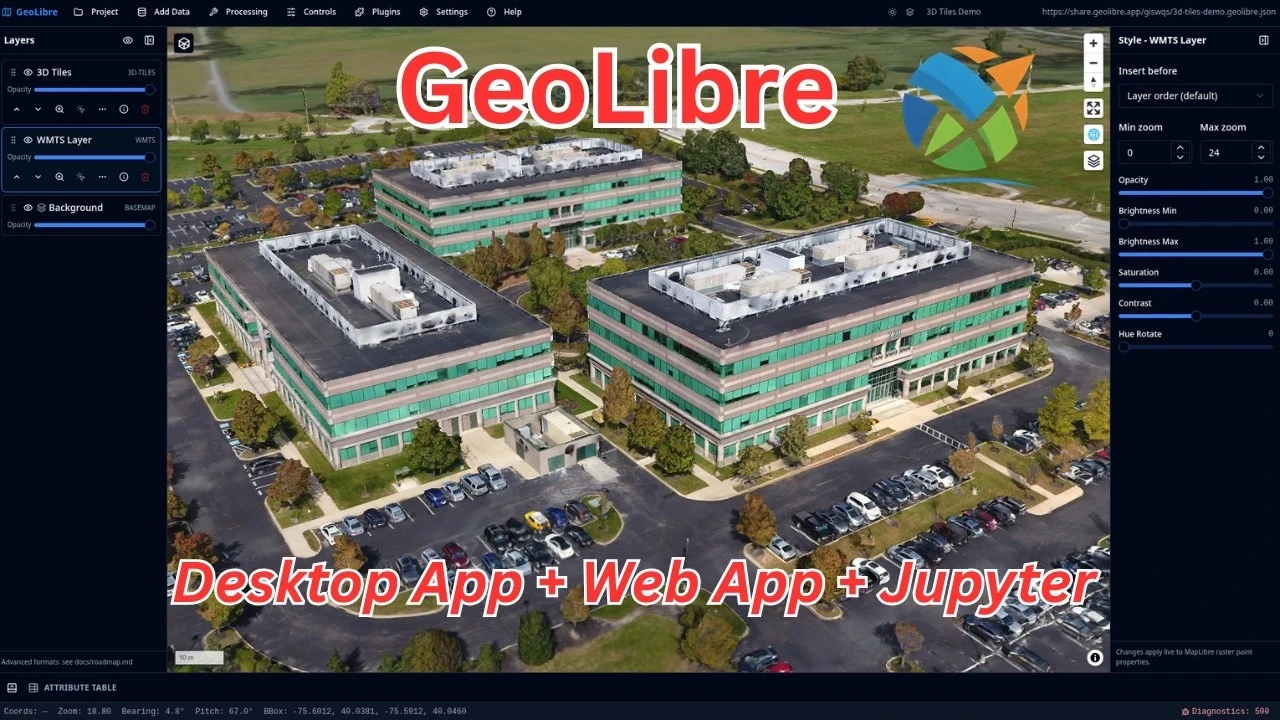
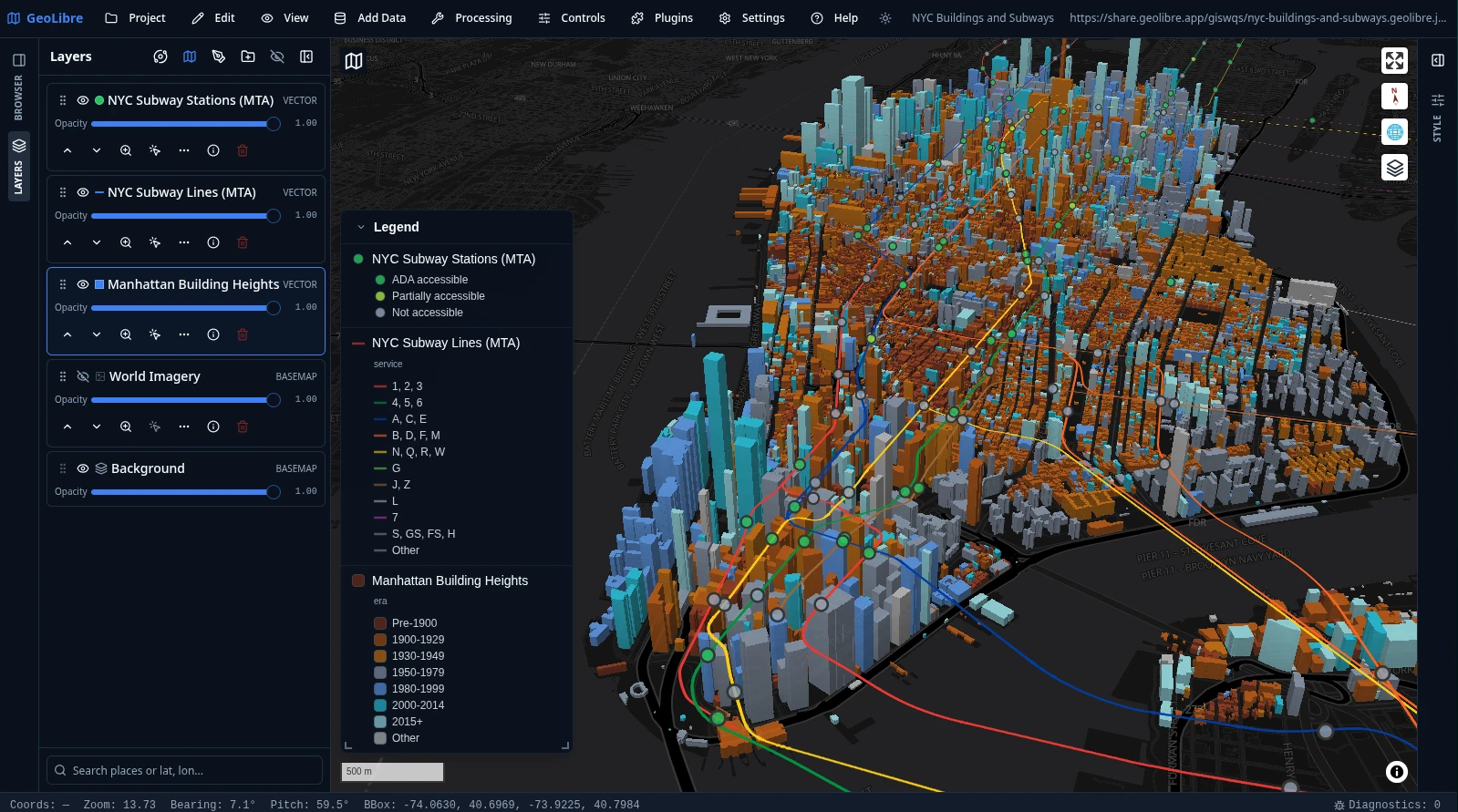
What GeoLibre does today
MapLibre map workspace
Pan, zoom, rotate, and tilt a MapLibre map with OpenFreeMap basemaps or a blank background. Toggle controls for navigation, globe, terrain, geolocation, scale, attribution, and logo, plus on-map tools like Measure, Bookmark, Minimap, View State, and Field Collection for capturing point, line, and polygon observations with a custom form by GPS or map tap.
Local and remote data
Load local and remote vector and raster data, then inspect and edit attributes in a table with a field calculator, charts, statistics, and export to GeoJSON, GeoParquet, Shapefile, GeoPackage, or CSV. Style layers with categorized, graduated, expression, heatmap, and clustering renderers, group and reorder the layer stack with undo/redo, and save or share .geolibre.json projects.
Plugins and marketplace
Activate built-in plugins for layer control, basemaps, MapLibre components, swipe, street view, time slider, Overture Maps, LiDAR, GeoAgent, GeoEditor, and atmosphere effects, and install, update, or remove external plugins from the built-in marketplace.
Advanced layer formats
Add Data covers XYZ, WMS, WFS, WMTS, ArcGIS, and STAC services; GeoParquet, FlatGeobuf, PMTiles, Zarr, and OpenStreetMap PBF; COG, GeoTIFF, Cloud-Optimized NetCDF/HDF, and MBTiles rasters; LiDAR, Gaussian splats, 3D Tiles (including authenticated tilesets), georeferenced video, and deck.gl layers; and DuckDB and PostgreSQL databases.
1,000+ geoprocessing tools
Run 1,000+ geoprocessing tools — vector, raster, remote sensing, hydrology, terrain, LiDAR, conversion, network, and projection — from the Whitebox toolbox, browsable by category in the Processing menu. They execute in the browser on a WebAssembly runtime with raster and vector I/O, so there is no Python sidecar to install and the full set works on the web, desktop, and Android.
SQL Workspace
Run DuckDB Spatial SQL in the browser against loaded layers, local files, and remote URLs, or query with the in-browser PostGIS (PGlite) and Apache Sedona engines. Bare URLs auto-wrap into the matching reader and stream over HTTP range requests. Includes sample queries, query history, and adding results to the map or exporting them as CSV or GeoParquet.
Vector tools
Geometry tools under Processing → GeoLibre Toolbox → Vector — buffer, centroids, convex hull, dissolve, bounding box, simplify, smooth, regular grid, clip, overlay (intersect/difference/union), spatial and attribute joins, selection, Voronoi/Delaunay, and H3 grids and binning — run in the browser with Turf.js, with an optional GeoPandas sidecar engine. A Spatial Statistics toolbox and a batch runner with model/pipeline chaining round out Processing.
Raster tools
Raster tools under Processing → GeoLibre Toolbox → Raster — hillshade, slope, aspect, reproject, resample, clip, polygonize, contour, zonal and focal statistics, raster calculator, reclassify, mosaic, and a Spectral Index toolbox (NDVI, NDWI, EVI with band presets) — run on a rasterio sidecar with a client-side fallback. Includes a Georeferencer and single-band or RGB raster styling.
Python and Jupyter
Embed the full GeoLibre app in a Jupyter notebook with the geolibre Python package, driving the map through an expanded leafmap-style API that syncs both ways so UI edits read back from Python. An in-app Python Console scripts the app, and a docked Notebook panel runs Jupyter beside the map — JupyterLite on the web, a JupyterLab server on desktop.
R, Quarto, and Shiny
Build interactive maps in RStudio, Quarto, R Markdown, and Shiny with the geolibre R package. Add GeoJSON, sf objects, and remote rasters, control the camera, and exchange portable .geolibre.json projects with the web and desktop applications.
AI Assistant
Chat with your data: a natural-language assistant that turns plain-English requests into GeoLibre operations — Spatial SQL, symbology, add or remove data, and map control — applied through the app so they stay auditable and undoable. Provider-pluggable (Google Gemini, Anthropic, OpenAI) with your own API key, disabled until configured.
Collaboration and story maps
Edit the same project with others in real time (collaboration MVP; requires VITE_GEOLIBRE_COLLAB_URL), and build scroll-driven story maps with a presenter view and a standalone HTML export you can publish anywhere.
Learn GeoLibre
New to GeoLibre? Start with the User Guide for a feature-by-feature tour of the workspace, menus, panels, and tools, then follow the Tutorials for hands-on, end-to-end workflows.
- Interface Overview: the toolbar, panels, map, and status bar.
- Adding Data: every file, web service, cloud, 3D, and database source.
- Processing Tools and SQL Workspace: analysis with vector, raster, conversion, Whitebox, and DuckDB Spatial SQL.
- AI Assistant: chat with your data — natural language to SQL, symbology, and map control.
- Plugins & Marketplace: activate built-ins and install from the registry.
- Your First Map: add a layer, style it, inspect it, and share it.
Read the User Guide Browse the Tutorials
GeoLibre on the web
GeoLibre Web is the full browser version of the GeoLibre app, ready to use with nothing to install. It is great for exploring the map, loading browser-selected vector data supported by DuckDB-WASM Spatial, adding URL-based layers, styling layers, and testing plugins. Desktop-only file dialogs, local MBTiles, local raster reads, and filesystem save/open operations still require the installed Tauri app.
Hosted on GitHub Pages, private by design
GeoLibre Web is a static site deployed on GitHub Pages and runs entirely in your browser. There is no server account, and the data you load is processed client-side in your browser session. Data leaves your browser only when you choose to add a remote URL or explicitly share a project. The hosted site measures page visits with Google Analytics, which never sees the data you load (see the Privacy Policy). A build you host yourself has no analytics at all.
If your data cannot be public at all, run the same web build on your own server next to your data. See Self-Hosting & Private Data.
Open a project by passing a public .geolibre.json URL with the url query parameter:
https://web.geolibre.app/?url=https://share.geolibre.app/giswqs/3d-tiles.geolibre.json
You can also open hosted data directly. data accepts GeoJSON, GeoParquet, PMTiles, REST endpoints returning GeoJSON or ZIP, ZIP archives containing multiple GeoJSON files, and COGs. Add style to apply hosted vector or raster symbology:
https://web.geolibre.app/?data=https://assets.geolibre.app/data/places.geojson&style=https://assets.geolibre.app/data/sample.style.json
Vector layers can produce a compatible file from Layer actions → Styles → Export GeoLibre URL style, and apply it again with Import style from file (GeoLibre URL / Mapbox GL / SLD / QML)…, or with Import style from text… by pasting the style itself.
For narrow embeds, add ?layout=compact to the demo URL to use icon-only toolbar buttons and hide project metadata:
https://web.geolibre.app/?url=https://share.geolibre.app/giswqs/3d-tiles.geolibre.json&layout=compact
For map-focused embeds, add &panels=none to hide the Layers, Style, and Attribute table panels:
https://web.geolibre.app/?url=https://share.geolibre.app/giswqs/3d-tiles.geolibre.json&layout=compact&panels=none
Use toolbar=icons when you only want icon-only toolbar buttons, or toolbar=none to hide the top toolbar while retaining panels and the status bar. panels=hidden, panels=hide, panels=off, and hidePanels=true are accepted aliases for hiding panels.
Use panels=collapsed to keep the Layers and Style icon rails visible while
starting both panels collapsed.
For a fully chrome-free, map-only embed, add &maponly to hide the toolbar menu, all panels, and the status bar:
https://web.geolibre.app/?url=https://share.geolibre.app/giswqs/3d-tiles.geolibre.json&maponly
For a read-only embed that viewers can still explore, use &layout=viewer. It keeps the Layers list, View and Controls menus, basemaps, and search/identify, and hides everything that would change the project:
https://web.geolibre.app/?url=https://share.geolibre.app/giswqs/3d-tiles.geolibre.json&layout=viewer
Other parameters control the toolbar, panels, and theme. See Embedding & Sharing for the full parameter reference and <iframe> examples.
Launch GeoLibre Web Embedding & Sharing
Project status
GeoLibre is stable and in active development, with regular releases on GitHub. For the complete, current inventory see Features; for how GeoLibre compares to QGIS, ArcGIS, Felt, and kepler.gl, see the Comparison; for the full release history and what comes next, see the Roadmap.
What ships today
- Core workspace — the map workspace, the
.geolibre.jsonproject format with Save, Open, and Share, the plugin API, and the plugin marketplace for installing, updating, and removing external plugins. - Data — browser vector import, DuckDB-WASM Spatial loading, the full Add Data surface (files, web services, cloud formats, 3D layers, and databases), and cloud integrations through the Planetary Computer and Earth Engine panels, the Overture Maps plugin, and the federal Web Services plugins.
- Processing — the Whitebox toolbox of 1,000+ geoprocessing tools running in the browser on WebAssembly, vector tools (Turf.js with an optional GeoPandas sidecar), raster tools (rasterio sidecar with a client-side fallback), a Spectral Index toolbox, a Raster Georeferencer, a Spatial Statistics toolbox, network analysis (isochrones, service areas, OD cost matrices), the Conversion menu (GeoParquet, FlatGeobuf, PMTiles, COG), and AI Segmentation via SamGeo/SAM 3.
- SQL and scripting — the SQL Workspace for DuckDB Spatial SQL (with PGlite PostGIS and Apache Sedona engines), a docked Notebook panel running Jupyter beside the map (JupyterLite on the web, a JupyterLab server on desktop), a natural-language AI assistant, and an in-app Python Console.
- Field and collaboration — a Field Collection tool for point, line, and polygon observations, real-time multi-user collaboration, and a scroll-driven story map builder.
- Map surface — multi-provider geocoding, the Time Slider plugin, a Controls menu (Measure, Bookmark, Minimap, View State), Layout settings, runtime environment variables, and diagnostics.
- Four rendering engines — MapLibre GL JS by default, plus Mapbox GL JS, CesiumJS, and the ArcGIS Maps SDK for JavaScript. Any engine can draw the primary map or an individual split pane, and the same project state follows each switch.
- 3D and planetary — native Cesium globes and ArcGIS 3D scenes, globe projections in MapLibre and Mapbox, a multi-map grid of synchronized views, a free-flight camera, and planetary mapping for the Moon, Mars, Mercury, Venus, the Galilean moons, Titan, Pluto, and Charon, with a per-project ellipsoid driving measurements.
- Styling and labeling — a rule-based renderer with per-rule symbol properties and scale-dependent visibility, a Style Manager preset library, diagram symbology, an auto-generated on-map Legend, a shared Expression Builder driving data-defined labeling and Select by Expression, and symbology interchange as OGC SLD, QGIS QML, Mapbox GL, and GeoLibre URL style JSON.
- Attribute depth — virtual fields, persistent attribute joins, an attribute form designer, a Raster Attribute Table, and editable source layers that write vector edits back to GeoPackage, GeoJSON, and PostGIS.
- Catalog browsers — a QGIS-style Browser panel (Data Source Manager) plus panels for STAC, NASA Earthdata, Hugging Face, GeoLens, Natural Earth, Source Cooperative, ArcGIS Hub, Socrata, and CKAN.
- Media and capture — map recording to video, route animation with a track-follow camera, a Camera Tour recorder, a Print Layout composer with Atlas / map series, in-browser ONNX/YOLO object detection, and a native-resolution geotagged photo viewer.
- Distribution — embed-friendly URL parameters including
maponly, a versionedpostMessageAPI and the typed@geolibre/embedclient for host pages, cross-platform installers (with a macOS Homebrew Cask, a Mac App Store listing for the sandboxed build, and a Windows Microsoft Store listing), Docker for the browser app, and native Android and iOS apps built from the same codebase via Tauri v2 mobile, on Google Play (see Android) and the App Store (see iOS), with a responsive touch layout and offline improvements (Download Offline Area plus service-worker caching of the CDN-loaded Pyodide and PGlite/PostGIS engines).
Recently added
Newest capabilities, still settling in: autosave with crash recovery and a browsable project history, QGIS and ArcGIS Pro project import, nested layer groups with multi-select moves, anchored review comments that sync through a collaboration session, an Elements panel for map annotations, ArcGIS Hub and open-data catalog browsers, address geocoding of delimited text at import time, KML Super-Overlay support, a Dashboard selector widget that cross-filters the other widgets, and NMEA receiver support in GPS Tracking.
The roadmap tracks every release, version by version.
Support GeoLibre
GeoLibre is free and open source, and stays that way. If it is useful to you or your team, becoming a sponsor — through GitHub Sponsors or Buy Me a Coffee — is the most direct way to keep development, hosting, and app-store distribution going.