Contributing
Thanks for your interest in improving GeoLibre. This guide covers how to set up a development environment, the project layout, the local quality gate, and the pull request workflow. Contributions of all sizes are welcome, from fixing a typo to adding a new processing tool or plugin.
By participating, you agree to keep interactions respectful and constructive.
Ways to Contribute
- Report a bug or request a feature by opening an issue. Include steps to reproduce, what you expected, and what happened, plus your OS and whether you hit it in the web or desktop build.
- Improve the documentation under
docs/(this site). - Fix a bug or build a feature in the app or one of the packages.
- Write a plugin using the external plugin API (see Plugins below).
If you plan a large change, open an issue first so we can agree on the approach before you invest time in a pull request.
Prerequisites
- Node.js 22 or newer (
.nvmrcpins the major version, sonvm usepicks it up) - Rust toolchain (rustup) for Tauri desktop builds
(
rust-toolchain.tomlselects the stable channel CI uses) - Linux only:
webkit2gtkandlibayatana-appindicator(see the Tauri prerequisites) - Python 3.10 or newer for pre-commit (the commit hooks below) and, if you work on the backend, the conversion sidecar and its tests
Setup
Fork the repository, then clone your fork. Replace YOUR_GITHUB_USERNAME with
your GitHub username:
git clone https://github.com/YOUR_GITHUB_USERNAME/GeoLibre.git
cd GeoLibre
npm install
GeoLibre is an npm workspaces monorepo, so a single npm install at the root
wires up every package. Use npm; the repository tracks package-lock.json.
Run it locally
Web build (map in the browser):
npm run dev
Open http://localhost:5173.
Desktop build (Tauri, required for filesystem dialogs, local MBTiles, and local raster reads):
npm run tauri:dev
Repository layout
apps/geolibre-desktop   # Tauri + React app (shell, composition, Tauri I/O)
packages/core           # Domain types, Zustand store, project format
packages/map            # MapLibre integration and layer sync
packages/ui             # Tailwind + shadcn/ui primitives
packages/plugins        # Plugin API and built-in plugins
packages/processing     # Client-side algorithm registry
packages/embed          # Typed iframe embed client (@geolibre/embed)
packages/collab-core    # Shared collaboration code for the collab workers
workers/                # viewer, collab, collab-node, tiles and ai-proxy workers
backend/geolibre_server # Optional FastAPI conversion sidecar (Python)
backend/geolibre_server_api # Reference projects and identity API (Python)
python/                 # The geolibre Python package (Jupyter widget, MCP server)
e2e/                    # Playwright end-to-end tests
tests/                  # Frontend unit and component tests
docs/                   # This documentation site (Zensical, mkdocs.yml)
See the Architecture reference for how these fit together, and the Project Format reference for the saved project schema.
Development workflow
- Create a feature branch off
main. Never commit directly tomain.
git switch -c feat/short-description
- Make your change, keeping it focused. Match the style of the surrounding code rather than introducing new patterns.
- Run the quality checks and confirm they pass.
- Commit with a clear message. The history follows a
Conventional Commits style prefix,
for example
feat:,fix:,docs:,refactor:, orchore:. - Push your branch and open a pull request against
main. The pull request template asks what changed and why, how you tested it, and which issue it relates to.
Pull requests are reviewed before merging. Automated reviewers may leave inline comments; address them or explain why a suggestion does not apply.
Quality checks
Run the fast TypeScript unit tests while you work:
npm run test:frontend
For a type check without the Vite build, run npm run typecheck:fast
(tsc -b over the app, no output written besides its incremental cache; it
first builds the small @geolibre/embed package, whose dist/ types the app
imports).
npm run typecheck is an alias for the full production build.
Before opening a pull request, run the pre-commit hooks on the files you changed, then the local quality gate:
pre-commit run --files path/to/changed.ts path/to/other.tsx   # list each file you changed
npm run ci:web   # frontend-only changes: no Rust or Python needed
npm run ci       # the full gate that CI runs
Scope pre-commit to your files with --files rather than --all-files:
--all-files reformats and re-checks every file in the repository, which is
slow and can churn files you did not touch. The local npm-build hook still
runs the full production build once per invocation; if you already built, add
SKIP=npm-build in front of the command.
npm run ci:web is the quick gate for changes that only touch the web app and
its packages: lint, the shared dependency, i18n catalog, gallery and plugin docs
checks, typecheck:fast, the
test type check, and the frontend
unit tests. It needs only Node.
npm run ci runs the complete gate that mirrors continuous integration, in this
order:
| Step | Command | Covers |
|---|---|---|
| Lint | npm run lint |
ESLint over apps/, packages/, workers/ and tests/ |
| Shared deps check | npm run check:shared-deps |
Dependencies declared by both the app and packages/plugins carry the same range (see Shared dependency ranges) |
| i18n catalog check | npm run i18n:tools:check |
The processing-tool strings in en.json match the tool registries (regenerate with npm run i18n:tools) |
| Gallery check | npm run gallery:check |
docs/gallery.md and the docs/demos.md teaser match scripts/demo-gallery.json (regenerate with npm run gallery) |
| Plugin docs check | npm run plugins:docs:check |
The built-in plugin table in docs/user-guide/plugins.md matches the plugin registry (regenerate with npm run plugins:docs) |
| Build | npm run build |
TypeScript compile (tsc -b) and Vite build |
| Frontend tests | npm run test:frontend:coverage |
Unit tests under tests/, gated on a coverage floor |
| Untested modules | npm run check:untested-modules |
Source files over 500 lines that no test loads, held by a baseline ratchet |
| Worker checks | npm run test:worker |
Type checks all five workers (viewer, collab, collab-node, tiles, ai-proxy) and runs the collab-node tests |
| Test type check | npm run typecheck:tests |
tsc over tests/, gated on a type-error ratchet |
| Backend tests | npm run test:backend:coverage |
pytest for the Python sidecar, gated on a coverage floor |
| Docker tests | npm run test:docker |
pytest for the container's deployment and sidecar policy scripts under docker/tests |
| Rust check | npm run check:rust |
cargo check for the Tauri shell |
The middle of the table is grouped into two scripts, which you can also run on
their own: npm run ci:frontend (i18n check through worker checks; Node only)
and npm run ci:backend (backend and Docker tests; needs Python and the npm CLI
to run the script, but no npm install). CI runs lint, ci:frontend,
ci:backend and check:rust as separate, parallel jobs in
.github/workflows/ci.yml rather than one after another, with
check:shared-deps and typecheck:tests running next to lint in the "Lint and
type check" job, so if
you add a step to npm run ci, add it to one of those groups and CI picks it
up.
On a pull request, lint and "Build and test" always run. The other jobs (E2E
core, backend, Rust, containers, and the database and OIDC integration jobs)
run only when the PR changes a path that feeds them; the changes job at the
top of ci.yml holds those path filters. A single CI passed job waits for
all of them and fails if any job failed, so it is the one check to watch, and
the one branch protection requires. A new CI job must be added to its needs
list, or its failures will not block a merge.
You only need the toolchains for the areas you touched. A docs-only or
frontend-only change does not require Rust or Python (use npm run ci:web),
though the full npm run ci gate does. The backend step needs the sidecar's
test extra (pip install -e "backend/geolibre_server[test]"); without it the
vector, raster, SQL and ML tests skip themselves.
Component tests
React panels are tested under the same node --test runner, against a
happy-dom DOM with
Testing Library,
and with no map behind them. The tests/component-*.test.ts files are the
examples to copy. A component test imports tests/helpers/dom.ts first and
then loads the component with a dynamic import():
import { fireEvent, render, screen, useAppStore } from "./helpers/dom";
import { createElement } from "react";

const { LayerPanel } = await import("../apps/geolibre-desktop/src/components/panels/LayerPanel");
The component has to be imported dynamically. The helper registers loader hooks
that let Node load a component the way Vite does: CSS and ?url/?raw imports
become stubs, virtual: modules and import.meta.env get stand-ins, and .tsx
compiles with the automatic JSX runtime. Hooks only apply to modules loaded after
they are registered, and a static import is loaded before any module code runs.
The helper also installs the DOM and initializes the app's own i18next with
en.json, so queries use the real English strings. Its render wraps the
element in the app's i18n, tooltip and direction providers.
Set up state through the store (useAppStore.setState(...)) and assert on what
the user sees or what lands in the store. After each test the helper unmounts
everything and resets the app and desktop-settings stores, localStorage,
fetch and any stubLayout(). Some other rules:
- Pass
{ current: null }formapControllerRef. A panel that needs a live map for a behaviour is a sign that logic belongs in alib/module, where a plain unit test can cover it. - Wrap store writes made after
renderinact(...)so React re-renders before you assert. fetchrejects by default. Serve a response withmockFetch(...).- Call
stubLayout()for virtualized lists such as the attribute table. happy-dom does no layout, so without it every element is 0px tall and the list renders no rows. - Assert on plain values (
textContent,.checked,.value, store state), not on DOM nodes. When anassert.equalon a node fails, Node formats the whole happy-dom tree, which looks like a hang. Count query results withqueryAll…().lengthinstead.
These tests count towards the frontend coverage floor like any other test, so the first test for a large panel adds that panel to the report.
End-to-end smoke tests
npm run test:e2e runs the Playwright suite in e2e/ against the built web app
(it builds, serves it with vite preview, and drives a headless Chromium).
Install the browser once with npx playwright install chromium.
The suite is split into two Playwright projects, which together partition
e2e/ — a plain npm run test:e2e still runs every spec exactly once:
| Project | Command | What it covers | When it runs |
|---|---|---|---|
core |
npm run test:e2e:core |
The app boots and renders a map, plus the shared UI surfaces: layer panel, attribute table, dialogs, drag-and-drop, theme, RTL, accessibility, PWA shell, project save and reopen, the plugin deep-link docs. | Every push, and every PR that changes a path the web build reads, as the E2E core (Playwright) job in ci.yml. |
core-engines |
(run by npm run test:e2e:core) |
One smoke pass per alternate engine (Cesium, ArcGIS): switch to it, add GeoJSON, identify a feature. Runs after core, on one worker, because a software-rendered 3D view saturates the CPU. The ArcGIS pass loads the SDK from js.arcgis.com. |
Every push, and every PR that changes a path the web build reads, as the E2E core (Playwright) job in ci.yml. |
features |
npm run test:e2e:features |
Per-feature integration: Mapbox/Cesium engines, STAC, exports, story maps, the scene graph, plugin install. | Nightly and on demand via e2e-full.yml, sharded 4x — or on a PR labelled full-e2e. |
The split is a wall-clock decision, not a judgement about value: the full suite is ~36 min serial on a CI runner and the feature specs are ~27 min of it, which made this job the sole critical path of CI while every other job finished in under 10 minutes. Most feature specs guard a specific shipped regression, so they are still run — just not against every commit.
Add a new spec to core only if it would break for every user. The list
lives in CORE_SPECS in playwright.config.ts; anything not named there is
automatically part of features. If you are touching an area the nightly suite
covers, label the PR full-e2e to get that check before merging.
Both jobs upload their Playwright report as an artifact on failure.
Each PR's Cloudflare preview is also smoke-tested once it deploys: the
Preview smoke (Cloudflare) commit status fails if the deployed /demo/ app
never finishes loading its map, logs a console error, or gets a 4xx/5xx from its
own host. That catches host and subpath problems that vite preview at /
cannot. Run it against any deployment with
PREVIEW_URL=<app URL> npm run test:e2e:preview. The core suite runs the same
clean-console check against the local build.
Locally the suite serves the built app on port 4173 and reuses a server already
listening there. Set E2E_PORT to use another port, for example when a second
checkout is already serving its own build on 4173.
Coding conventions
- Automated formatting runs on every commit via pre-commit hooks.
pre-commit.ci runs the same hooks on every PR
(including forks) and auto-commits a
style: auto-formatfix back to the PR branch, so anything the local hooks missed gets fixed automatically. It does not run on push tomain, so auto-formatted commits never bypass review. Tooling is split by language: - Python + Jupyter notebooks (
.py,.ipynb) — ruff formats and lints (ruff.toml, line length 100, rulesF/I/W/E). - JS/TS/JSON/CSS/YAML/TOML — oxfmt
(npm, NAPI bindings) formats (
.oxfmtrc.json, 2-space indent, double quotes, semicolons, width 100). Note that oxfmt also sortspackage.jsonkeys into its conventional order (e.g.scriptsbeforedependencies), so expect key reordering, not just whitespace changes, when editing those.ignorePatternsin.oxfmtrc.jsonkeeps oxfmt off paths that either belong to another tool or churn on every build: Jupyter notebooks and Python source (owned by ruff), lockfiles (package-lock.json,pnpm-lock.yaml,yarn.lock), generated/vendored bundles (dist/,build/,target/,node_modules/, minified files,.d.ts), Vite-plugin output (*.generated.js,*.generated.py,cesium/,jupyterlite/), and the machine-generated app assets underapps/geolibre-desktop/public/(Cesium assets, MapLibre sprite atlases, the Whitebox tool-catalog snapshot, which grows ~64% under oxfmt). The intentionally malformede2e/fixtures/malformed.geojsonfixture is also excluded. - ESLint fails on React Hooks rule violations and warns on floating
promises,
any, missing Hook dependencies, and physical Tailwind direction classes (ml-*,left-*,text-right; see Internationalization). Warnings are held by a ratchet, so a change that adds one fails lint. Anpm run buildtypecheck runs too. - Notebook outputs are stripped repo-wide on every commit. The
strip-notebook-outputshook runsnbstripoutover every tracked.ipynb, not just the notebooks in your commit, so an output that was executed locally cannot ride along in a later, unrelated commit. Becausenbstripoutrewrites in place, this also erases outputs from a notebook you are still iterating on the next time you commit anything — re-run the notebook to get them back, or keep an untracked scratch copy. No.ipynbshould ever carry outputs in git. - All text files are normalized to LF via
.gitattributes(* text=auto eol=lf), so line endings are consistent across platforms;core.autocrlfis overridden. - The remaining pre-commit hooks enforce LF line endings (
mixed-line-ending
  --fix=lf
) and basic whitespace (end-of-file and trailing-whitespace fixers). You rarely need to format by hand — commit once, let the hooks rewrite, thengit addthe fixed files and commit again. Install the hooks after cloning withpre-commit install. - Do not edit files in
node_modules. If a third-party MapLibre control needs app-specific styling, add a scoped override inapps/geolibre-desktop/src/index.csslimited to that control's class. - Keep changes scoped to the package they belong to, and prefer reusing the
shared primitives in
packages/uiand helpers inpackages/core.
Documentation
The site is built with Zensical, the successor to
MkDocs Material from the same team. It reads the existing mkdocs.yml
configuration directly. To preview your changes locally:
python -m pip install -r requirements-docs.txt
zensical serve
Open http://localhost:8000. When you add a new page, add it to the nav in
mkdocs.yml. The site is built with zensical build --strict in CI, so broken
links and pages left out of the navigation fail the build. Link to other docs
pages with a relative path (for example architecture.md), and link to files
outside docs/ with a full GitHub URL.
Images, demos, and sample data
Do not commit screenshots, GIFs, videos, or sample datasets to this repository. Binaries are never really deleted from Git history, so every one of them permanently enlarges the clone for everyone, including CI.
Put them in opengeos/geolibre-assets
instead. It is a plain static host, so any file type works. Anything pushed to
that repository's main branch is published by GitHub Pages at the matching
path under its one hostname, https://assets.geolibre.app, usually within a
minute:
| Repository path | Published URL |
|---|---|
images/my-panel.webp |
https://assets.geolibre.app/images/my-panel.webp |
demos/my-demo.gif |
https://assets.geolibre.app/demos/my-demo.gif |
data/sample.parquet |
https://assets.geolibre.app/data/sample.parquet |
Then reference the published URL from your Markdown:
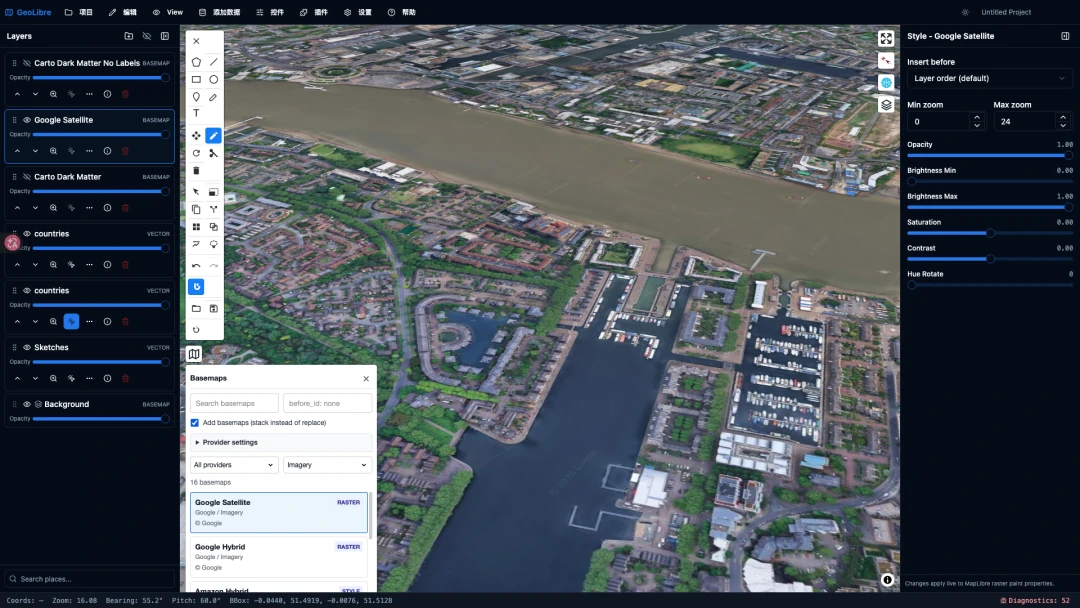
This is the one exception to the "link to files outside docs/ with a full
GitHub URL" rule above: an asset in geolibre-assets is referenced by its
published assets.geolibre.app URL, never by a GitHub blob or raw URL.
A few things worth knowing:
- Use
images/for stills,demos/for animations and screen recordings,data/for sample datasets, andstyles/orfonts/for map resources. - Prefer WebP or AVIF for stills, and PMTiles or GeoParquet for data. The screenshots on this site are WebP.
- Keep individual files under 100 MB, GitHub's hard limit.
- Published paths are effectively permanent. Renaming or deleting a file breaks every page already pointing at it, so pick the name once.
- Assets are served with permissive CORS, so the app can fetch them cross-origin.
Sample datasets are still served from another GeoLibre-operated host,
data.geolibre.app. Those URLs keep working and do not need rewriting;
geolibre-assets is simply the one you can open a pull request against, so send
new assets there.
The only images that belong in this repository are the site chrome under
docs/assets/ — currently just the icon mkdocs.yml uses for the logo and
favicon. Do not add to that directory; if you find something there that nothing
references, it is a leftover, not a precedent.
Plugins and extensions
GeoLibre supports external plugins loaded from a zip, a local directory, or a hosted manifest URL. To build one, start from the GeoLibre plugin template and follow the Plugin API contract. You do not need to fork GeoLibre itself to ship a plugin.
Backend sidecar
The optional FastAPI sidecar
powers the server-side conversion tools. The conversion extra installs the
conversion runtime (DuckDB, rio-cogeo, and friends) and the dev extra installs
the test runner, so install both when working on it:
cd backend/geolibre_server
python -m venv .venv && source .venv/bin/activate  # Windows: .venv\Scripts\activate
pip install -e ".[conversion,dev]"
geolibre-server
For a base, conversion-free run (pip install -e . plus a plain uvicorn
launch), see the sidecar README.
Run its tests with npm run test:backend from the repository root, or
python -m pytest from the backend directory.
Sponsoring
Code is not the only way to contribute. If you or your organization depend on GeoLibre, financial support keeps development, hosting, and app-store distribution going — see Become a Sponsor for GitHub Sponsors and Buy Me a Coffee.
License
GeoLibre is released under the MIT License. By contributing, you agree that your contributions are licensed under the same terms.